

Rippling – How do I connect via API?
Updated 2 weeks ago
This guide walks you through generating a Rippling API Token and connecting your Rippling account to Bindbee.
Prerequisites
Admin access to your Rippling account
Permission to create API Tokens
Step 1: Open the API Tokens app in Rippling
In Rippling, navigate to Tools → Developer → API Tokens.
You can also open it directly at app.rippling.com/api-tokens, or search for "API Tokens" in the Rippling search bar.
Step 2: Create a new API Token
Click Create API Token.
Enter a clear, descriptive name (e.g.,
Bindbee Integration).Click Continue.
Step 3: Select the required scopes
On the Scopes screen, grant all the scopes listed below based on the models required.
Model accessed | Scope required |
|---|---|
Employee | workers.read |
Employee | levels.read |
Employee | users.read |
Employee | legal-entities.read |
Employee | employment-types.read |
Employee | compensations.read |
Employee | teams.read |
Employee | custom-fields.read |
Employee | departments.read |
Employee | work-locations.read |
Employee | workers.custom-fields.read |
Company | companies.read |
Compensation | compensations.read |
Employment | employment-types.read |
Time Off/ Time Off Balances | leave-balances.read |
Time Off/ Time Off Balances | leave-requests.read |
Time Off/ Time Off Balances | leave-types.read |
Timesheet Entries | time-entries.read |
Tip: The token inherits the permissions of the user creating it. Make sure the admin generating the token has access to all the data you intend to sync.
Step 4: Generate and copy the token
Click Save.
Copy the API Token and store it securely.
Important: The token is only displayed once. If you close the window without copying it, you'll need to generate a new token.
Note on expiry: Rippling API Tokens expire after 30 days of inactivity. As long as the token is in active use, it remains valid.
Step 5: Connect Rippling to Bindbee
Open the magic link provided by Bindbee.
Click Allow and Continue.
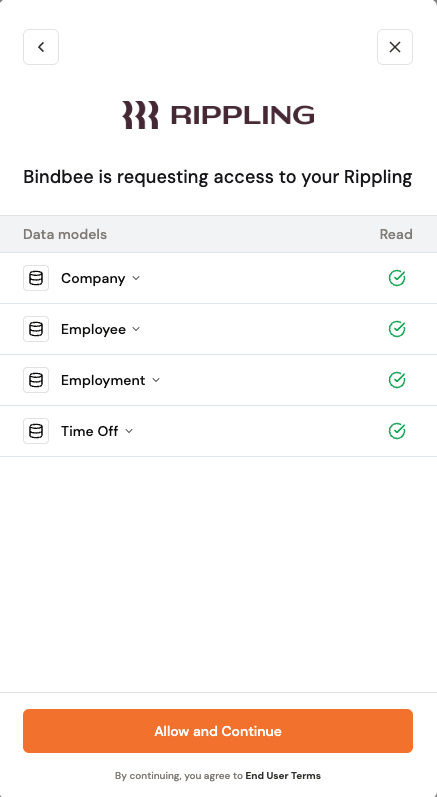
Paste the API Token you copied in Step 4 into the prompt.
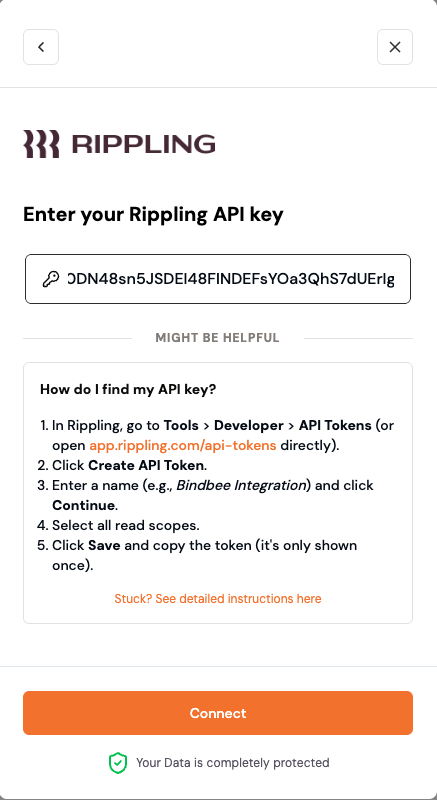
Click Connect.
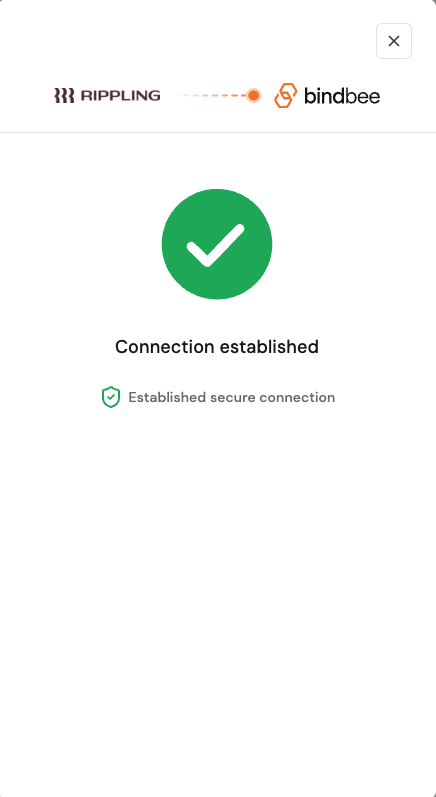
Once the connection is established, Bindbee will begin syncing data from your Rippling account. You can monitor sync status from the connector section of the Bindbee dashboard.
Troubleshooting
Issue | Resolution |
|---|---|
"Invalid token" error on connect | Confirm the token was copied in full with no leading or trailing whitespace. Generate a new token if needed. |
Missing employee or worker data | Verify all read scopes were selected during token creation. Re-create the token with the missing scopes. |
Cannot find "API Tokens" in Rippling | Confirm you have admin access. The API Tokens app is only visible to users with sufficient permissions. |
If you run into issues not covered here, reach out to [email protected].