

Ashby – How do I connect my account?
Updated today
Connect your Ashby account to Bindbee by creating an API key in Ashby and pasting it into the Magic Link.
Step 1: Log in to your Ashby account.
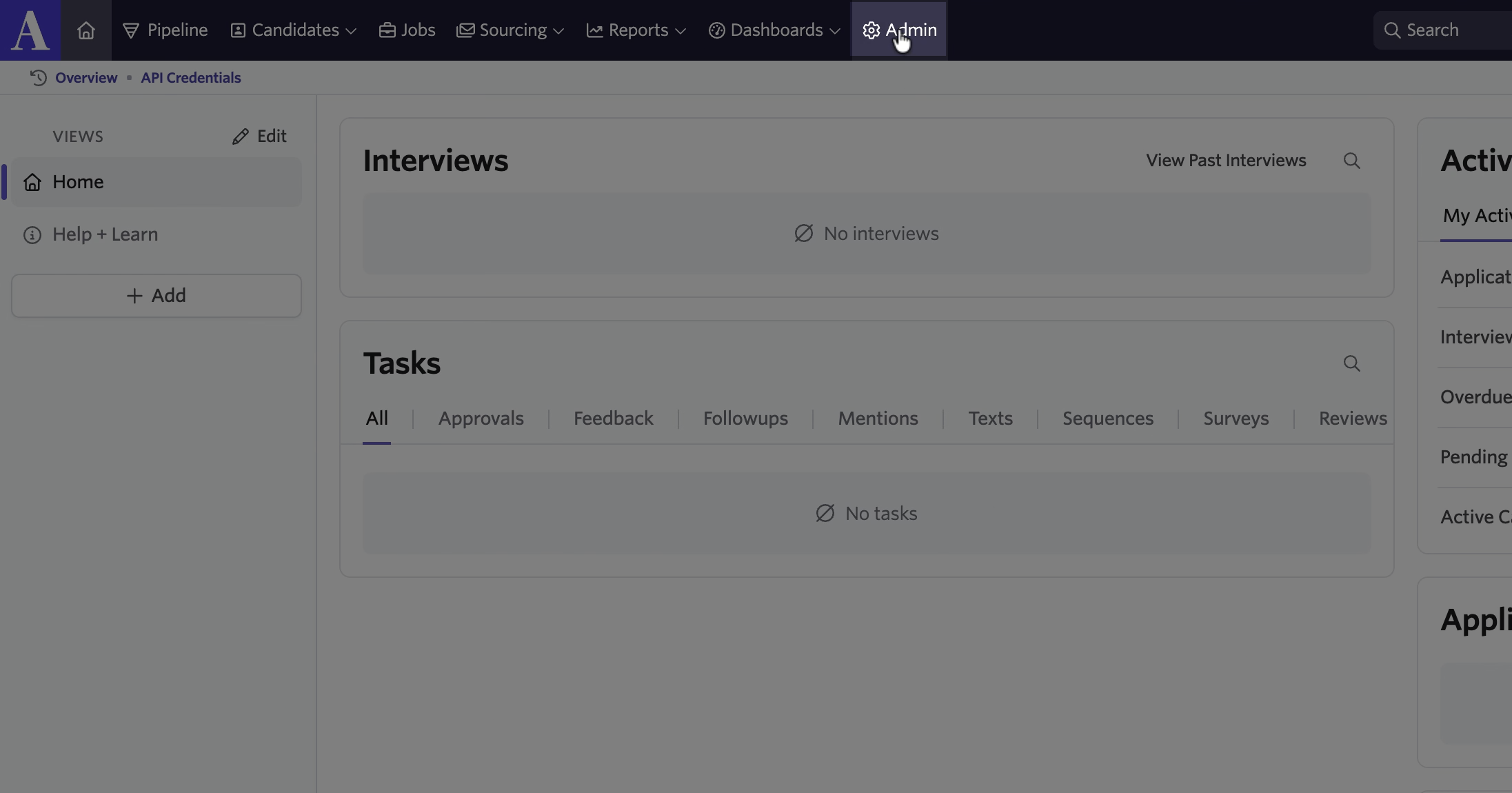
Step 2: Click Admin in the top navigation bar.
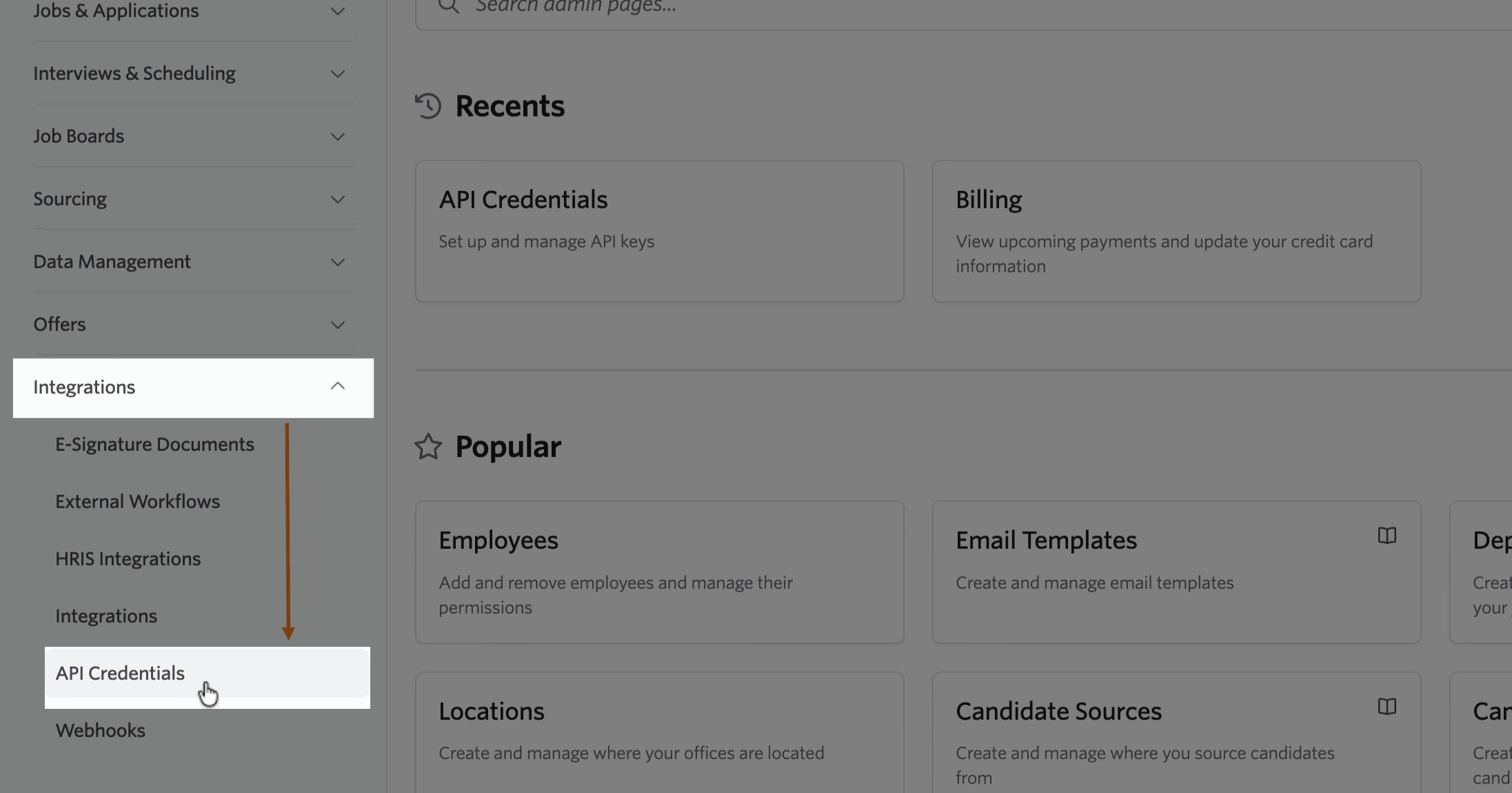
Step 3: Go to Integrations and select API Credentials.
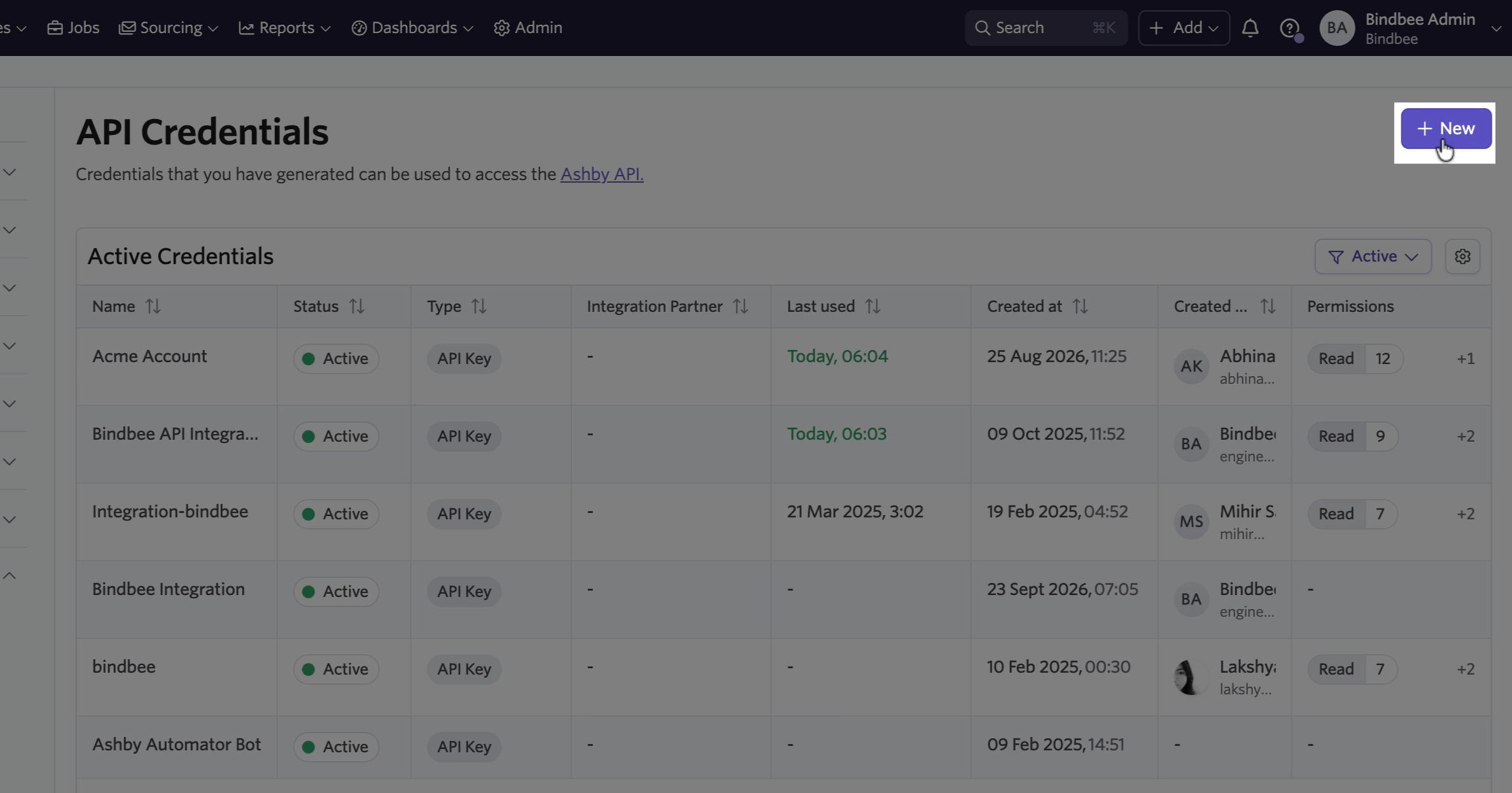
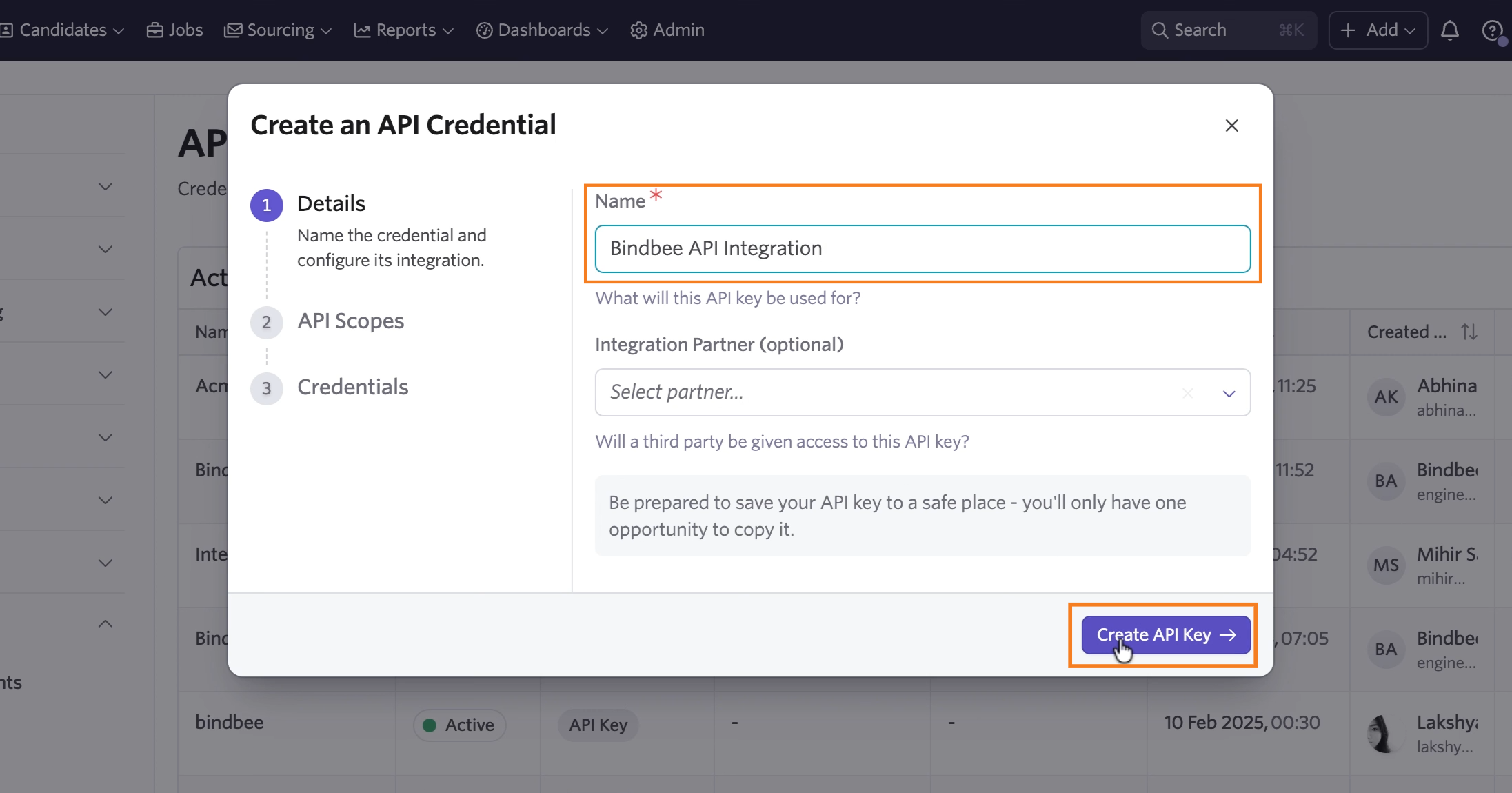
Step 4: Click + New to create a new API key. Enter a descriptive name, such as Bindbee API Integration, and click Create API Key.
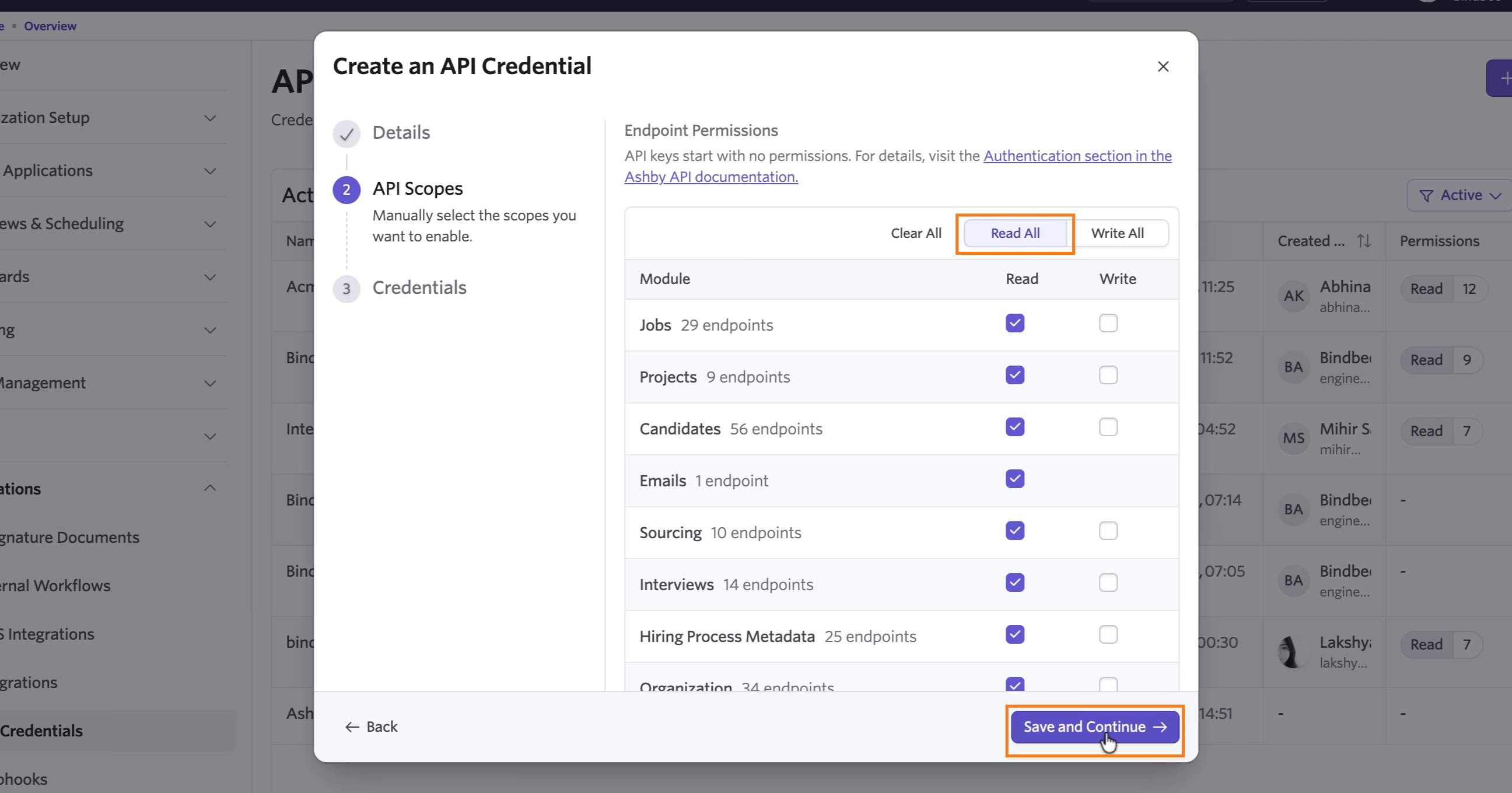
Step 5: Under API Scopes, select all available read scopes, then click Save and Continue.
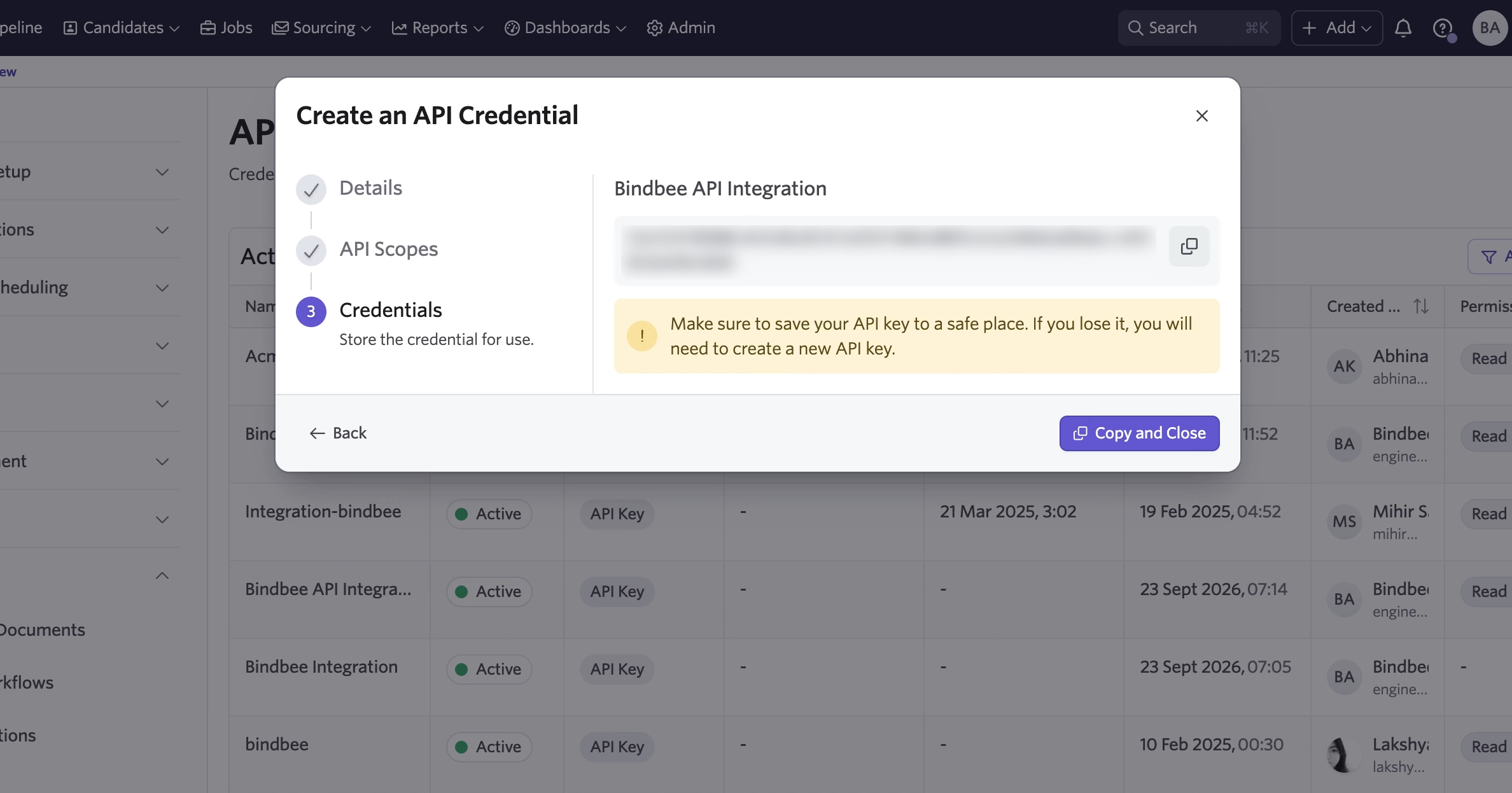
Step 6: Copy the generated API key and store it securely. You need it to complete the connection in Bindbee. Then click Copy and Close.
Step 7: Open the Magic Link.
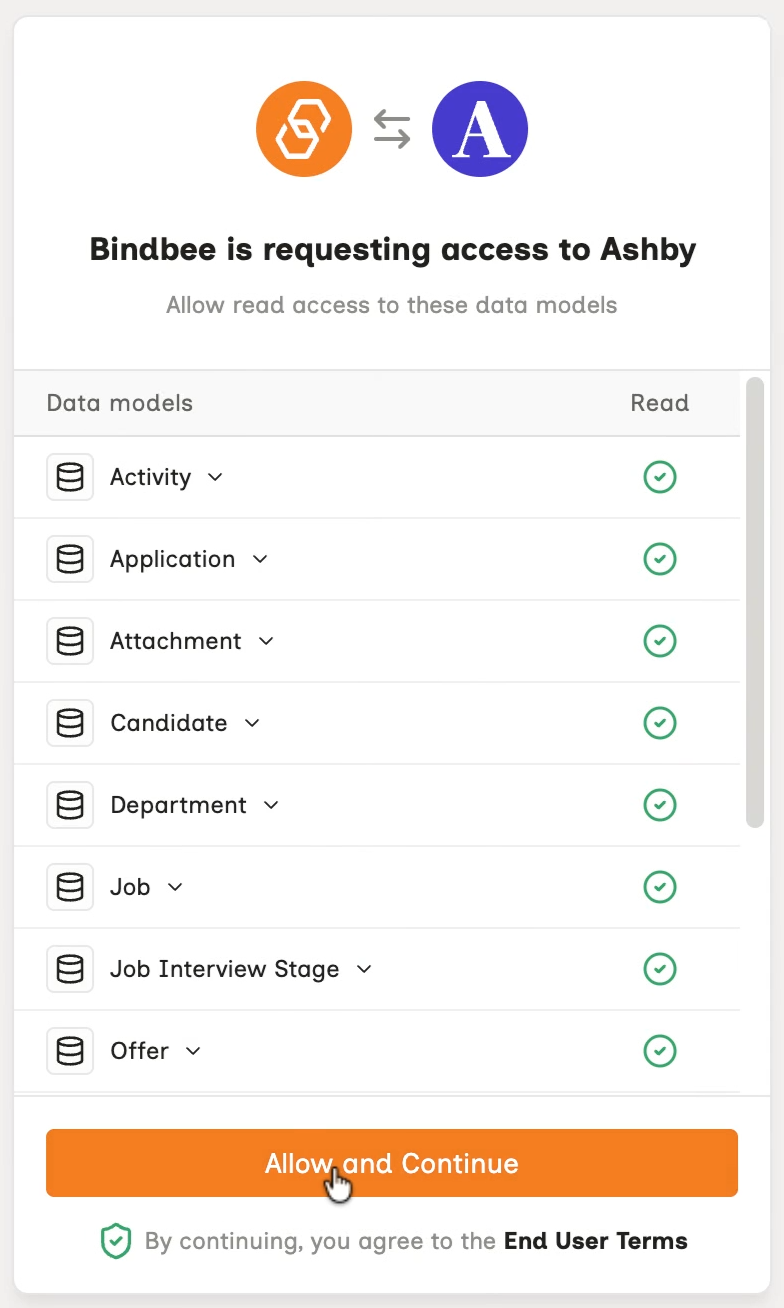
Step 8: Click Allow and Continue.
Step 9: Paste the API key you copied from Ashby, then click Connect.
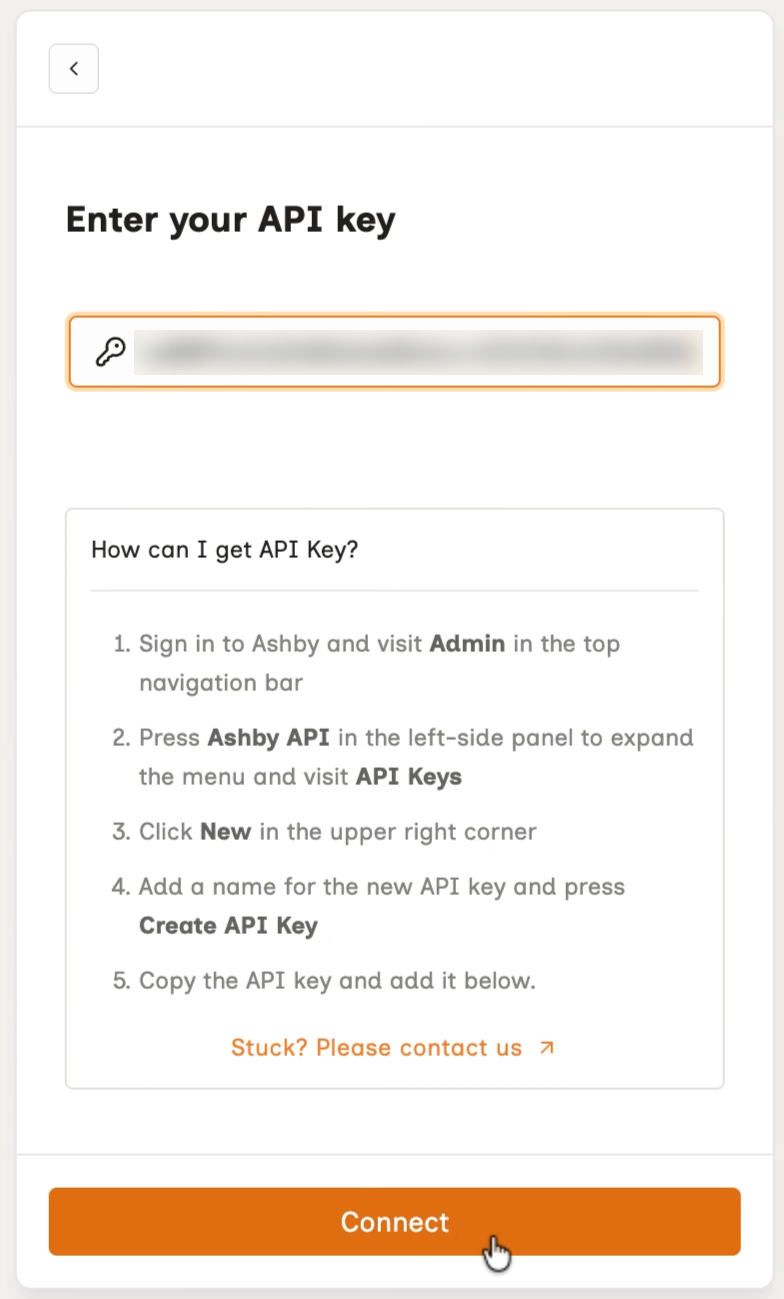
Your Ashby account is now connected to Bindbee.